Plan Tennis Match Tactics on an Interactive Court using Tennis.University Strategy Generator
You can draw shot trajectories, position players anywhere on the court, label strategies by opponent, write coaching notes, save everything to a personal library, and export a finished plan as a PDF to review before you walk on court.
It is designed for players who want to prepare seriously. Most juniors go into matches with a vague plan. The Strategy Generator gives you a concrete one.
What You Can Do With It
Draw Shot Patterns
The court supports eight shot types, each colour-coded and labelled so diagrams stay readable at a glance:
Serve — map placement on deuce or ad side
Forehand — drives, angles, inside-out, inside-in
Backhand — cross-court, down-the-line, slice
Volley — approach and put-away volleys
Lob — shown as a dashed arc to distinguish from flat shots
Drop Shot — short-ball finishes and combination plays
Smash — overhead positions and finishing moves
Slice — defensive blocks, serve+slice patterns
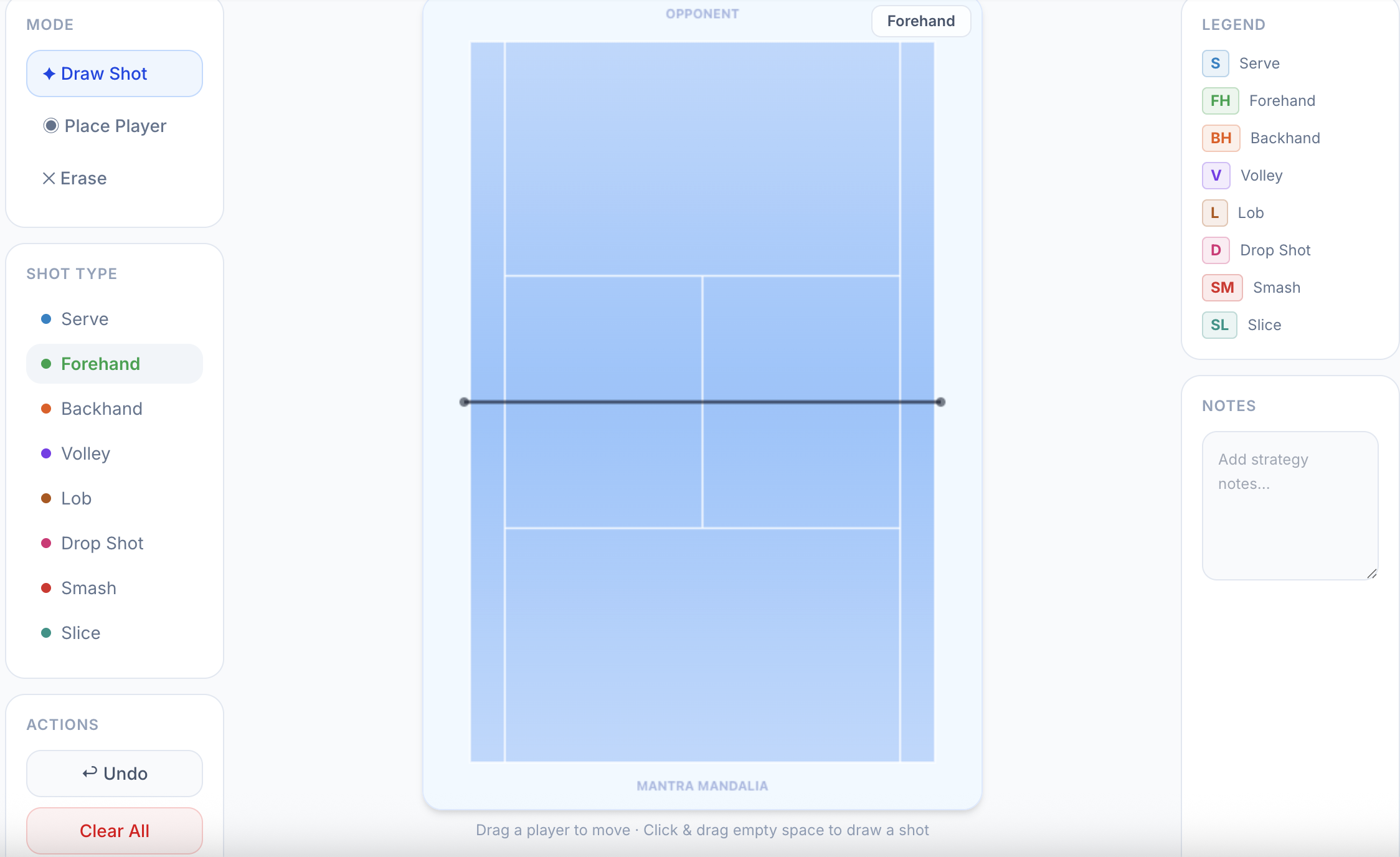
To draw a shot, select Draw Shot mode, pick the shot type, then click and drag from the starting position to where you want the ball to land. An arrow appears with the shot label at its midpoint.
Place Players
Switch to Place Player mode to position yourself or your opponent anywhere on the court. Player dots are draggable — you can reposition them mid-diagram without redrawing. P1 (blue, bottom) represents you. P2 (orange, top) represents the opponent. Player initials update automatically based on the names you enter at the top of the screen.
Erase and Undo
Made a mistake? Erase mode lets you click on any shot or player to remove it. Undo removes the last element added. Clear All wipes the board if you want to start over.
Name Your Strategy and Tag the Opponent
Every strategy gets a name and an optional opponent name. Naming strategies like "Deuce Wide + Open Court" or "BH Cross-Court Pattern vs Lefty" makes your library genuinely useful rather than a collection of unlabelled diagrams. The opponent name also appears as a label on the court itself, so printed PDFs are immediately identifiable.
Saving and the Strategy Library
Hit Save to store your strategy to your personal library. Saved strategies appear in the Library panel with shot counts, player counts, the date last edited, and a preview of your notes. Your library is personal — coaches and other players cannot see it unless you share the PDF.
Exporting as PDF
Once a strategy is saved, the PDF export button becomes active. The Strategy Generator captures the current court diagram, pairs it with the strategy name, opponent name, notes, and a shot legend, and downloads a clean, printable PDF.
The PDF is useful before a tournament match — review it in the locker room, share it with your coach, or keep a folder of opponent-specific plans across a season.
One important note: the PDF export only works on a saved, unmodified strategy. If you make changes after the last save, the PDF button will prompt you to save first.
How to Get the Most Out of It
Prepare opponent-specific plans: Before each tournament match, create a strategy named for that opponent. Even a two-shot pattern — serve wide, attack the open court — is better than nothing.
Use the notes field: The diagram shows the shot; the notes field explains the why. Write things like "his backhand breaks down under pace on the ad side" or "she takes the T serve late — go wide on deuce." That context makes the PDF useful rather than decorative.
Build a pattern library over time: After a match, revisit your plan. Did the pattern work? Update the notes. Add a new variation. Over a season, your library becomes a genuine tactical record of your development.
Start with presets: If a blank court feels overwhelming, load a preset that matches your style — net rusher, baseline grinder, forehand-dominant — and modify it from there. You will learn faster by editing than by starting from scratch.
Who Has Access
The Strategy Generator is available to all approved players on Tennis.University with the feature enabled by default. If you see a locked screen when you navigate to Strategy Generator, contact Tennis.University to request access.
Track your tennis tournament performance
The free tennis tournament performance tracker for Indian junior players. Log every match, record strengths and weaknesses, and download a one-page PDF report for any tournament.
More to Read
India's Junior Tennis Rankings 2026: How Deep Is the Player Pool?
16 Feb 2026 · 8 min read
AITA Ranking Points Explained: Singles, Doubles, and What Coaches Get Wrong
12 Feb 2026 · 6 min read
Red Ball, Orange Ball, Green Ball: Is India Getting the Transition Right?
4 Feb 2026 · 7 min read